
Resume Access Services
Source and Hire Educators Fast
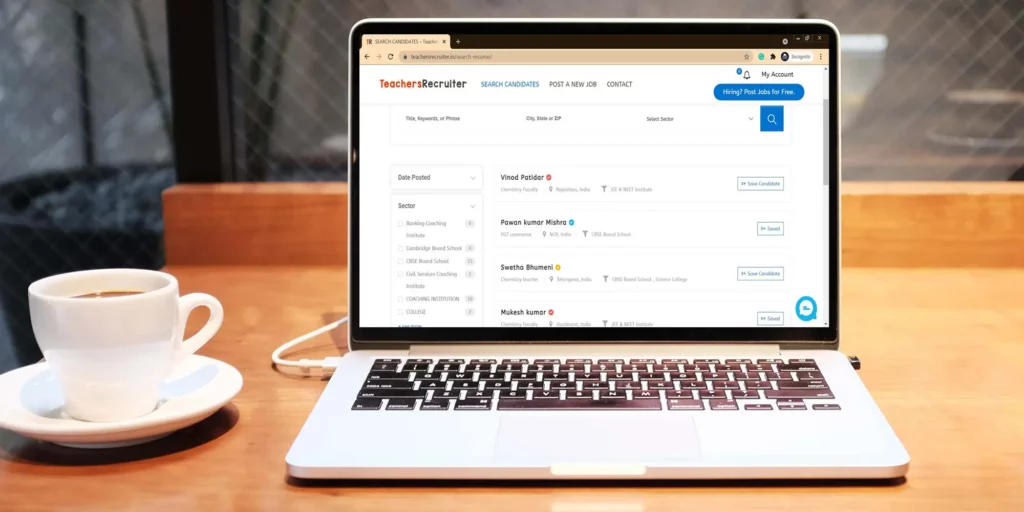
Looking for the right employees for your school can be a challenging and time-consuming process. Sifting through countless resumes and applications can feel like a never-ending task. This is where Teachers Recruiter comes in, providing job posting and resume access services to simplify your school hiring process.
The resume access service provided by Teachers Recruiter is valuable tool for simplifying your school hiring process. You can filter profiles with different filters, including location, job role, qualification, experience, gender, and teaching subjects. This feature allows you to identify the most suitable candidates for your school’s requirements. The platform also offers a preview of each candidate’s resume, enabling you to make informed decisions about whom to invite for an interview.
Resume Access Plans
Hire faster with our cost-effective and easy to access hiring packages
🌟🌟🌟🌟🌟
Resume Access Plan – 100 Resumes
- Number of Profile View / CV's Download: 100
- Credit Consume on Profile View: Yes
- Invite Candidate to Apply Job: No
- Plan Expiry: 45 Days
- No Other Hidden Charges
Resume Access Plan – 250 Resumes
- Number of Profile View / CV's Download: 250
- Credit Consume on Profile View: Yes
- Invite Candidate to Apply Job: No
- Plan Expiry: 90 Days
- No Other Hidden Charges


Frequently Asked Questions
The Resume Access Plan allows employer to browse and access resumes of job-seeking candidates registered with us. This plan does not include job posting privileges.
With this plan, you can:
- Search and view candidates’ profiles and Download resumes.
- Filter candidates’ profiles based on job role, teaching subject, qualifications, experience, and location.
- Save, Manage and organize candidates’ profiles on your dashboard.
- Directly contact potential candidates for hiring.
Credits represent the number of candidates’ profiles you can view or save. Each action (e.g., viewing a full profile, saving a candidate’s profile) may consume a certain number of credits.
A Profile View occurs when you open a candidate’s profile, which reveals all the details, including candidate full name, contact information, qualifications, experience, expected salary, professional qualification and etc. This action consume credits.
You can download the candidate’s resume by clicking the Download CV button on the profile view page.
Also, you can send an Email to the candidate on the profile view page.
The “Profile View” feature allows employers to view detailed profiles of candidates. Each time an employer open a candidate’s profile, it counts as one Profile View. This count occurs whether or not the resume is downloaded.
The “Resume Download” feature allows employers to download a candidate’s resume from their profile view.
Yes, you can save/manage candidates’ profiles to your account for easy access later. You can also create tags to organize candidates based on your hiring needs.
Note: you can manage saved profile within the validity period of your plan.
Credits are deducted when you perform specific actions, such as:
- Viewing a candidate’s profile
- Saving a candidate’s profile for future reference.
Yes, credits must be used within the validity period of your plan. Unused credits will not roll over to the next billing cycle.
Our portal provides advanced tools to streamline your hiring process, including:
Creating Tags: Assign custom tags to candidates for better organization.
Email Communication: Send emails to candidates directly from the portal.
Application Status Management: Mark candidates as Shortlisted, Rejected, or Under Review to keep track of your hiring decisions.
You can manage these profiles in ‘Saved Candidates’ section of your account.
You can check your remaining profile views and plan validity in the “My Packages” section of your account.